Project Details
TEAM: Self | Feedback from design team | Product Manager
DELIVERABLES: Web Dashboard Prototype
ROLE: UX Research | UX Design | Visual Design
TOOLS: Pencil + Paper | Sketch | InVision
Background
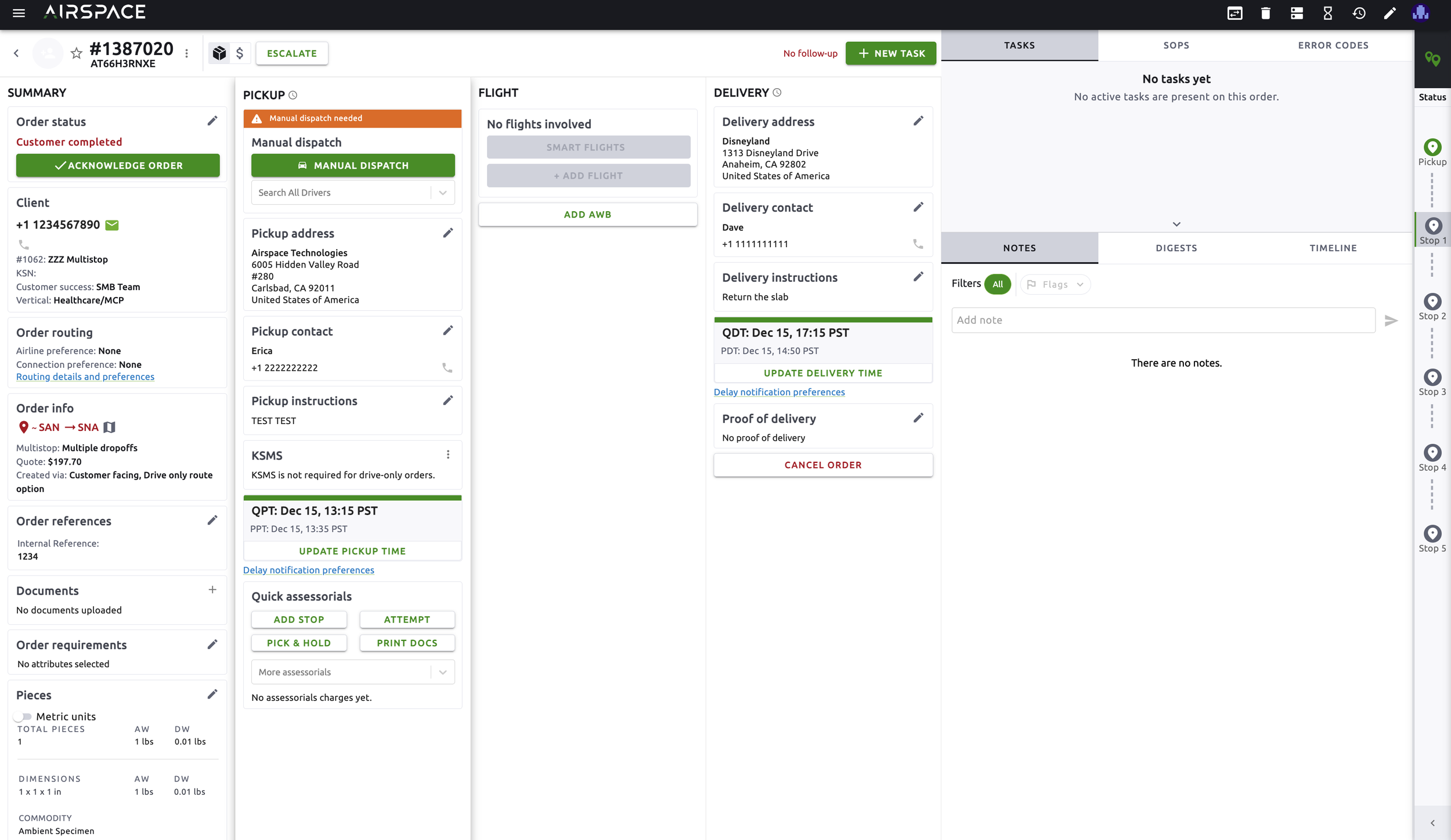
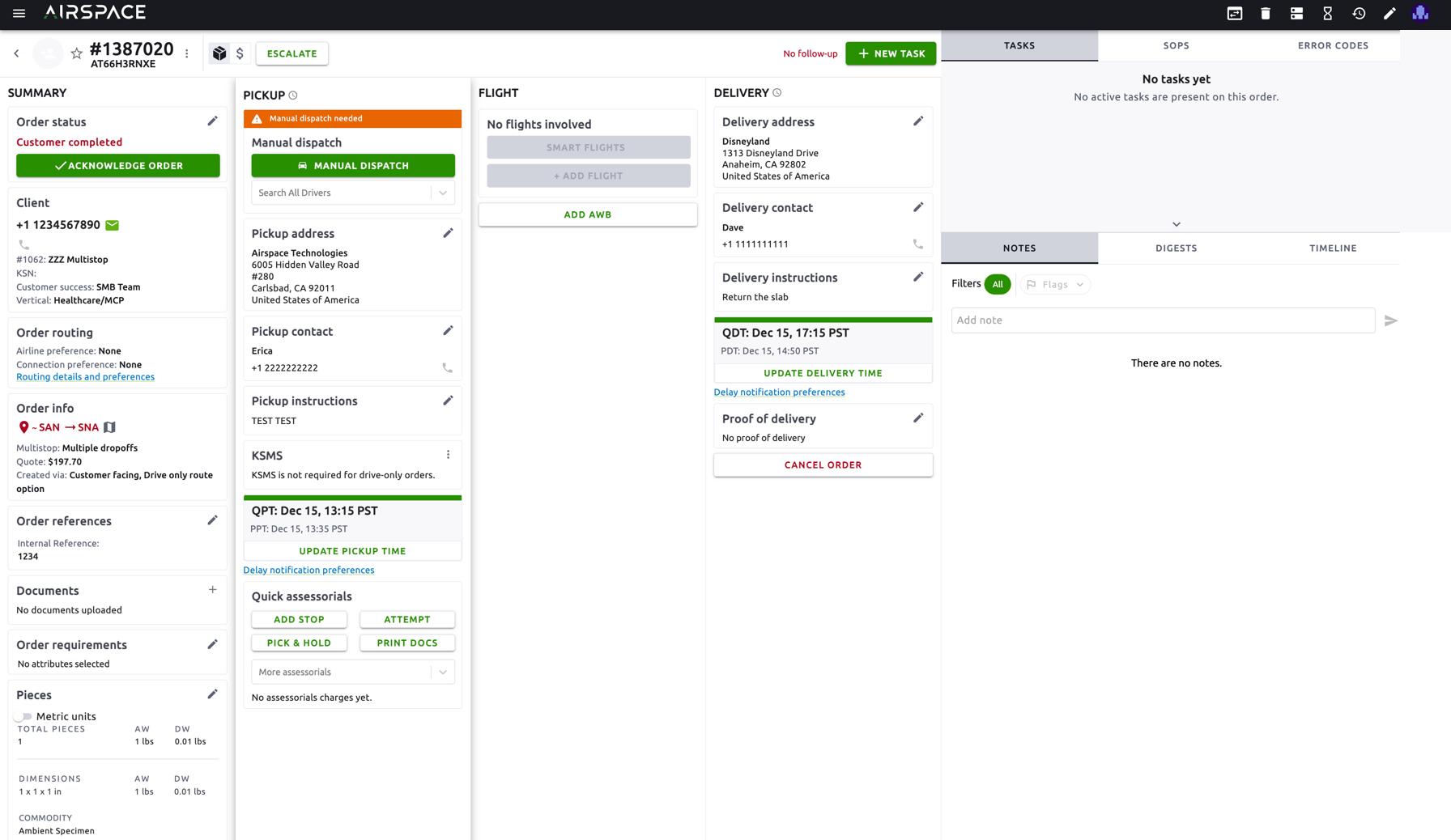
The Airspace operations team has been looking for a better way to keep track of orders with multiple pickup or multiple delivery points. Currently, these types of orders appear as multiple individual orders. The operations team has no way of discerning which orders are connected to each other aside from adding to the notes section and confirming the pickup/delivery address of each order.
Objectives
Design a user-centric experience for operations team members with to help them keep track of orders with multiple pickup/delivery points. Create an experience that ultimately saves operations team members’ time and reduces room for error.
Design any complementary features that could enhance the main ones.
Process
01 Empathize
In this phase of the design process, I learned background information on how operations specialists currently handle orders which include multiple pickup/delivery points.DELIVERABLES: Questions & Assumptions | User Interviews
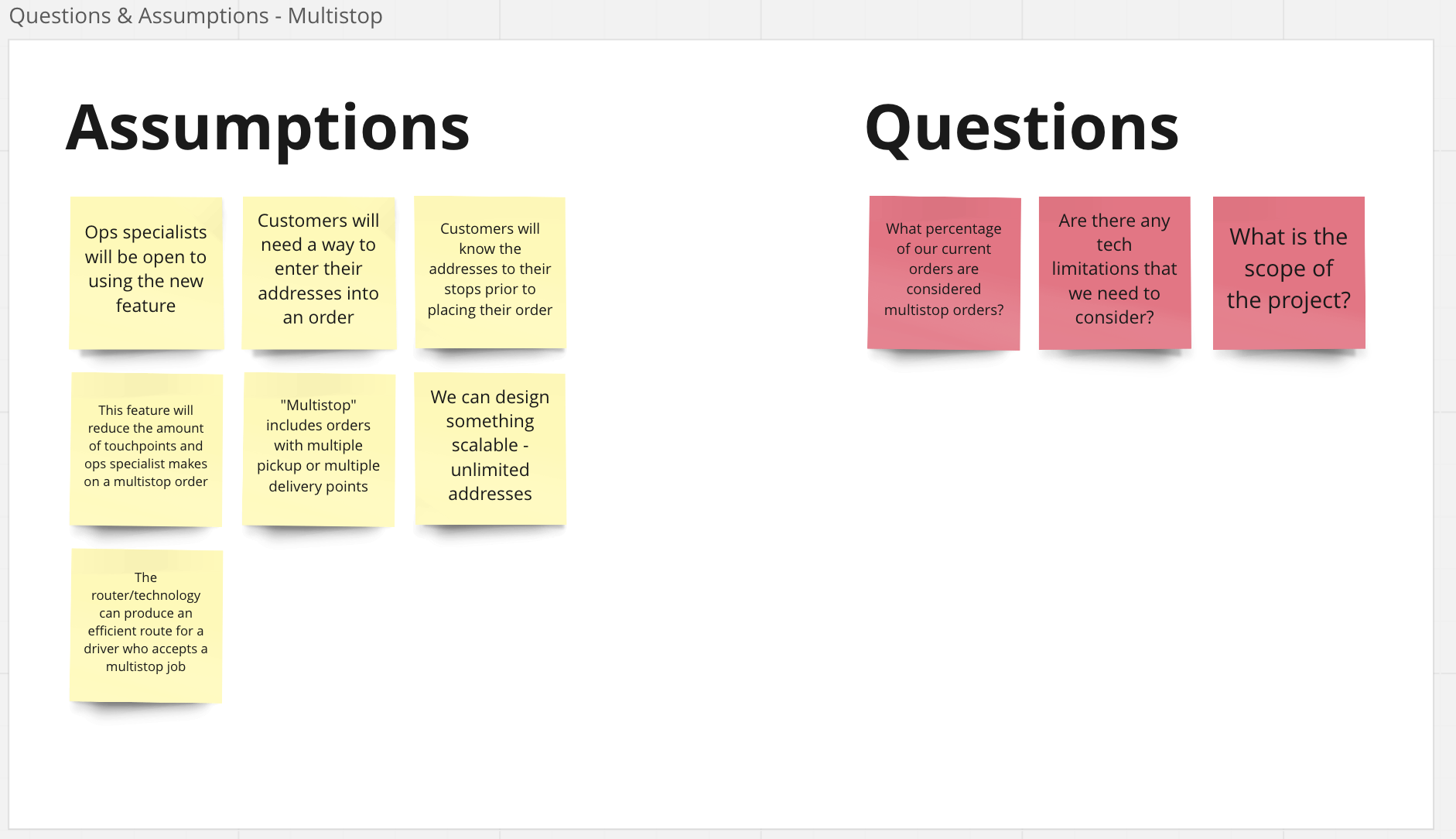
Questions & Assumptions - What I'd Do Differently
Before diving into a project, I like to layout any questions and assumptions that I have. If possible, this process takes place with the scrum team involved in the project.
User Interviews - Operations Team
For this phase of the project, I spoke to 5 ops specialists to learrn about their experience handling multistop orders.
Operations Team Insights
- Operations team members are using the internal "Order Builder" to place multiple orders into the system.
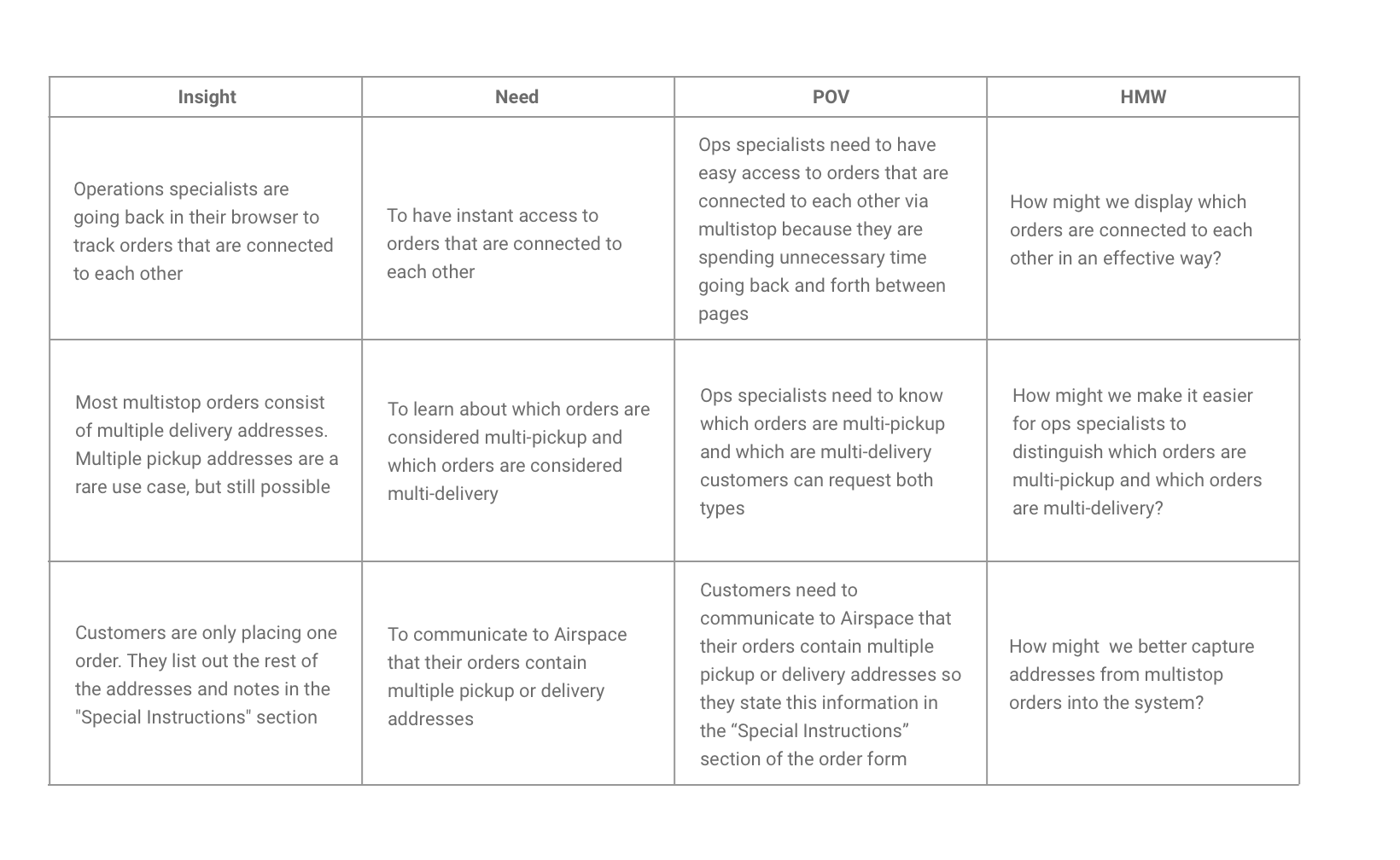
- Most multistop orders consist of multiple delivery addresses. Multiple pickup addresses are a rare use case.
- Operations team members use the notes section to communicate with other ops specialiasts which orders are connected to each other
User Background - Customer Success
I spoke to Customer Success to get a better understanding of how these users experience multistop users.
Customer Insights (Based on what I know now)
- Customers are only placing one order. They list out the rest of the addresses and notes in the "Special Instructions" section.
- Customers typically know the addresses that pieces need to be pickup up from or dropped off at prior to placing their order.
02 Define
In this phase of the design process, I solidified the details of what was to be created for whom and how.DELIVERABLES: POV Statement and HMW Questions
03 Ideate
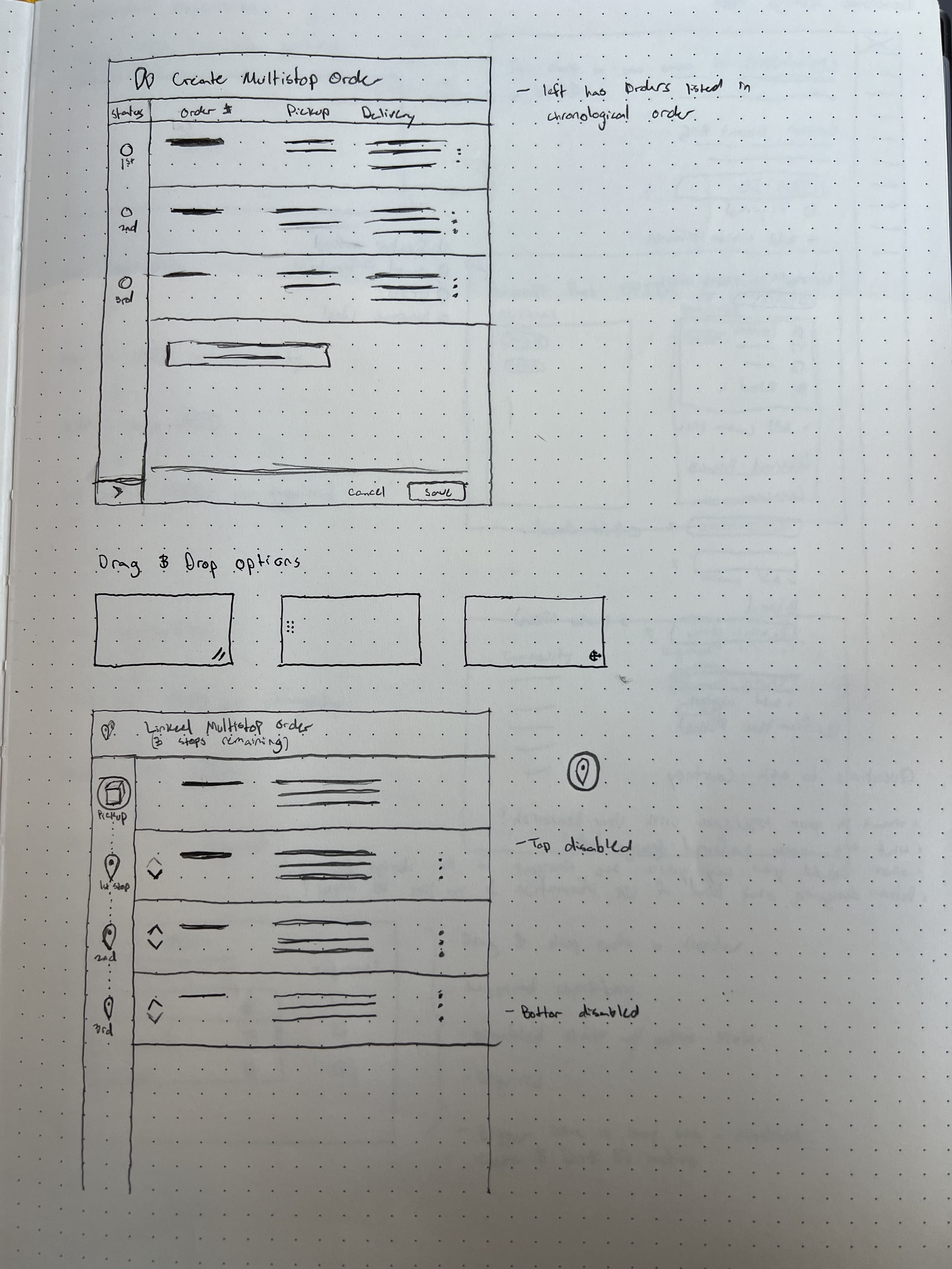
In this phase of the design process, I began generating ideas to solve the problems that users were experiencing.DELIVERABLES: User Flow | Task Flow | Sketches
04 Prototyping & Usability Testing
In this phase of the design process, I created a mid-fidelity prototype and conducted usability testing to gain valuable insight and feedback from my users.DELIVERABLES: Mid-Fi Wireframes | Mid-Fi Prototype | Usability Testing | Affinity Map
Usability Testing
After creating my prototype, I conducted usability tests with ops specialists in the office.Overall, the feature was generally well-received. The only objections to an immediate release were icon-related issues.
User Tasks
- Test whether users can understand which orders are connected to each other from the index page.
- Test whether users can understand which orders are connected to the order they're currently handling.
My objectives of the test were to observe how well users were able to navigate the feature, complete their intended goals and recognize any friction points. Some of my initial findings were:
Positives
- All users understood they had to create a multistop based off the delivery instructions
- All users understood they had to reorder the addresses they created
- All users would expect the driver they assign to be assigned to all orders from the linked order
- All users understood the green checkmark meant the order has been completed/delivered
- All users were able to clearly understand the progression of the multistop order on the index page
- All users were able to unlink the multistop order when asked to
- After seeing the collapsed side panel, users understood that there were three linked order
Negatives
- Half (2/4) ops speciailists didn't notice the collapsed side panel on the side of the dashboard
- (3/4) ops specialists had trouble reordering the stops
- Users were somewhat confused about the car and plane icons in the mockup
Issue Severity Matrix
Issue 1
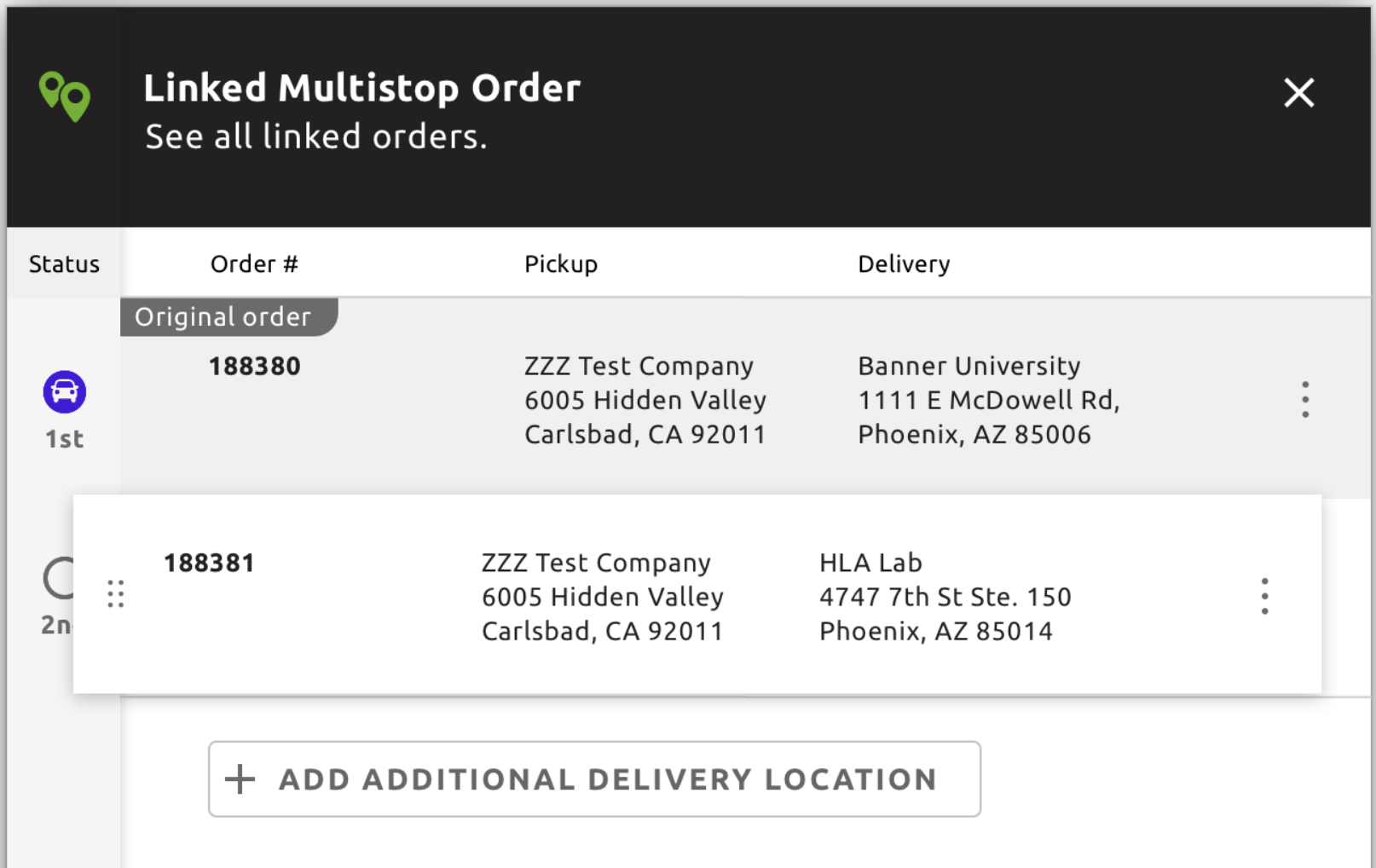
Users had difficulty reording the multistop order
Serious. Some multistop orders will show the delivery address as the final address, so ops specialists must have the ability to reorganize the order.
Issue 2
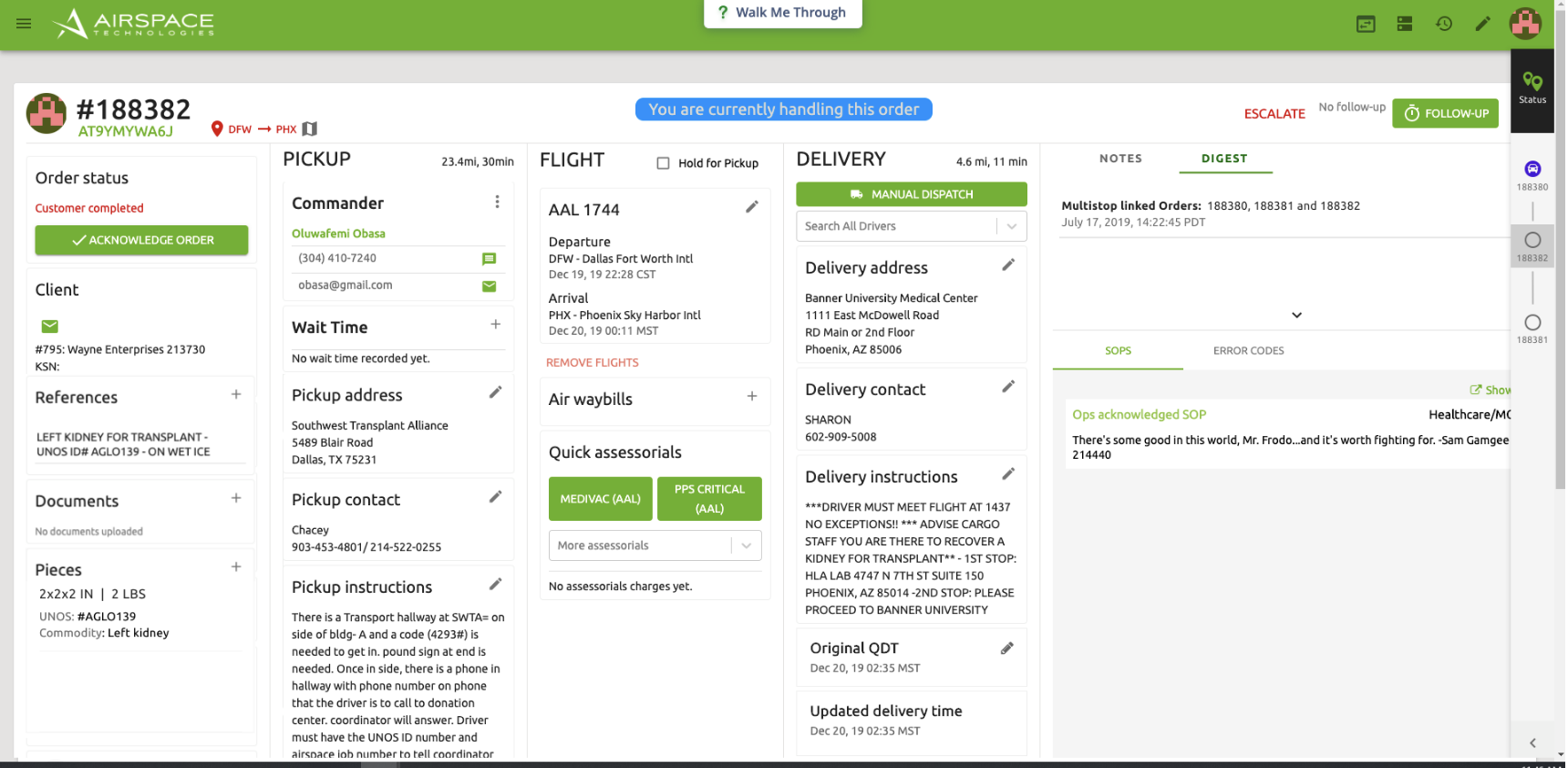
Users did not notice the collapsed side panel
Medium. There are workarounds to determine if an order is a multistop order, without having to look at the collapsed side panel.
05 Live Designs
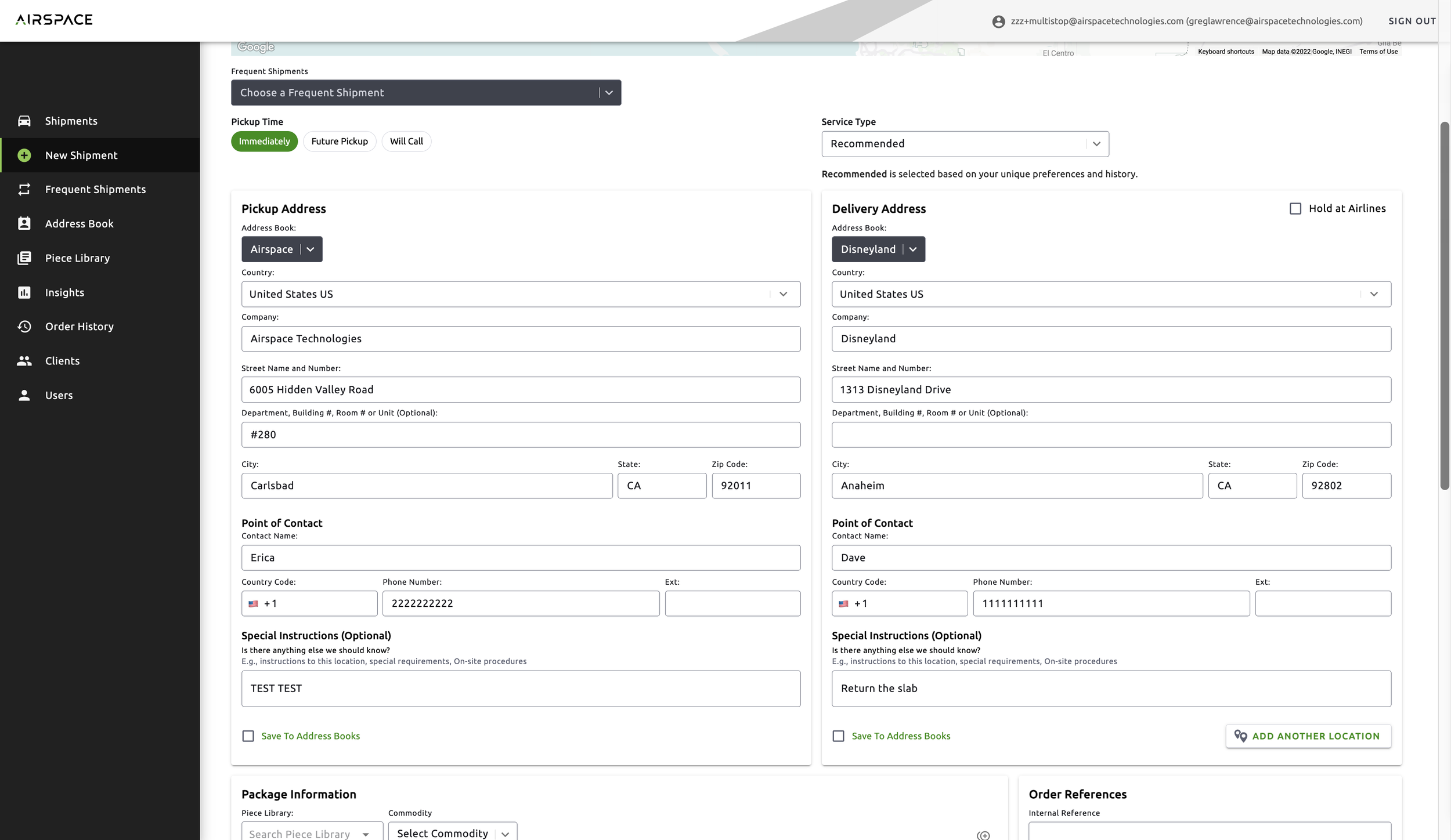
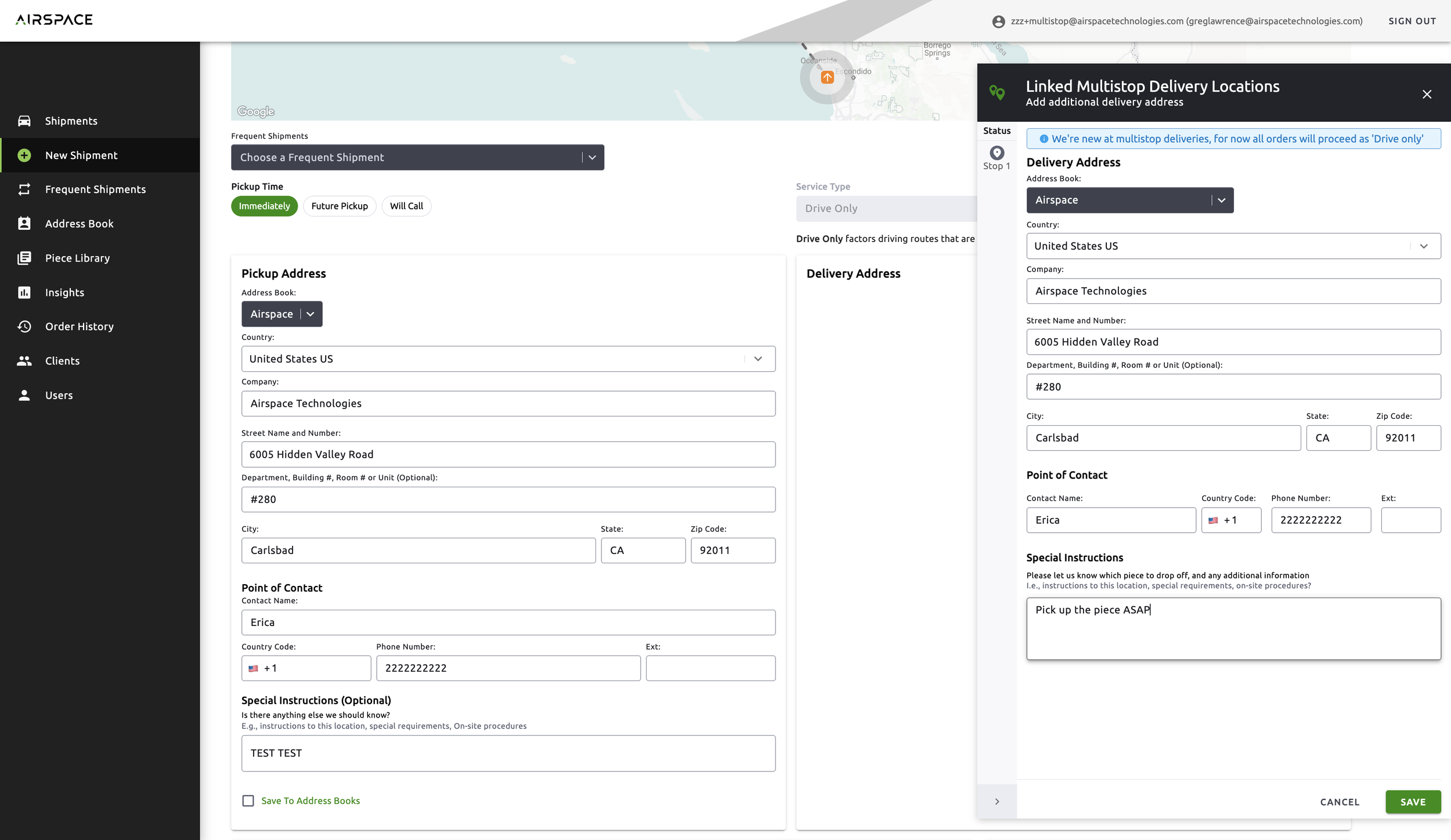
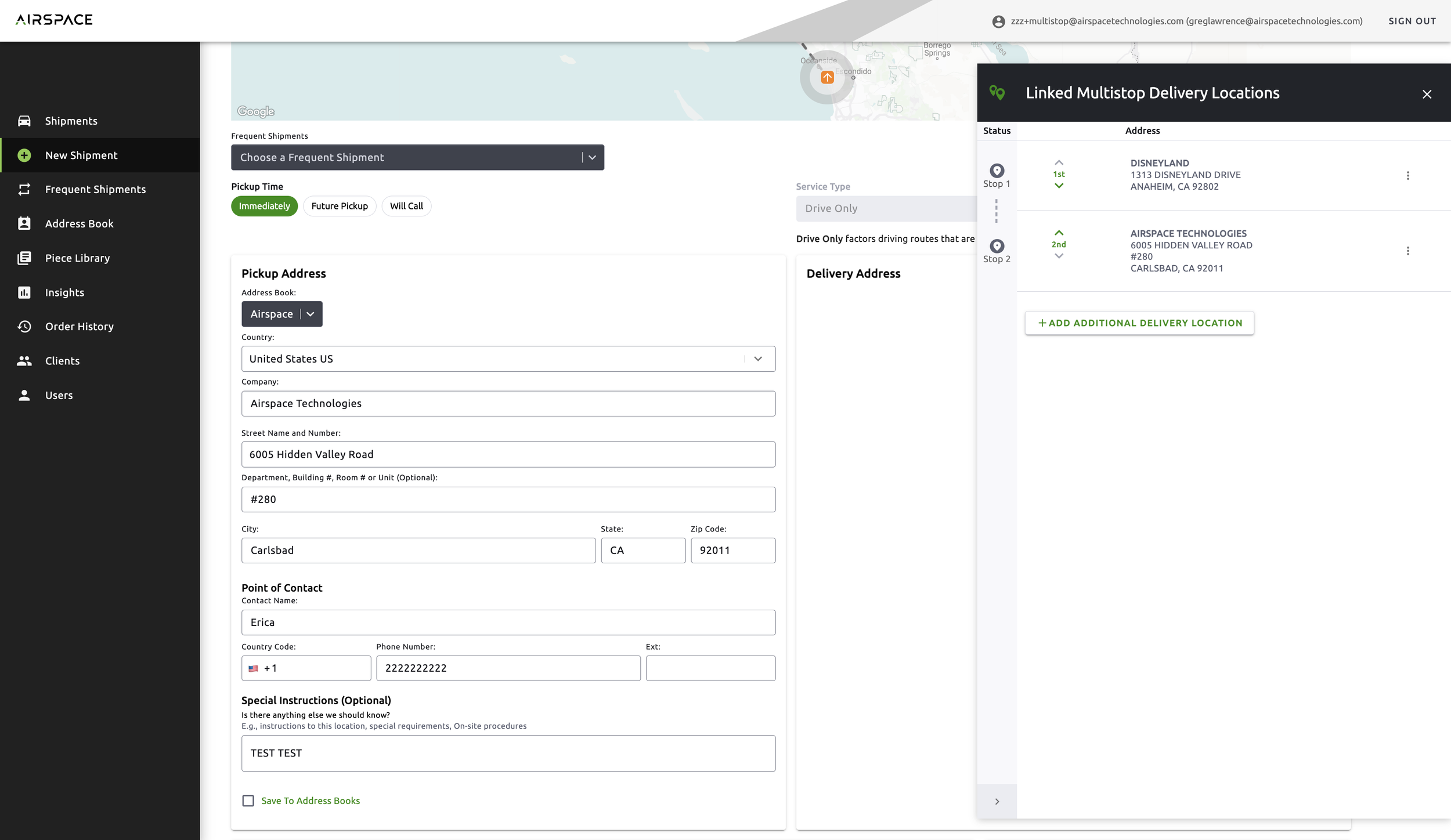
Order Placement
Customers can place orders in their usual way. Additionally, they have the ability to add in multiple addresses.
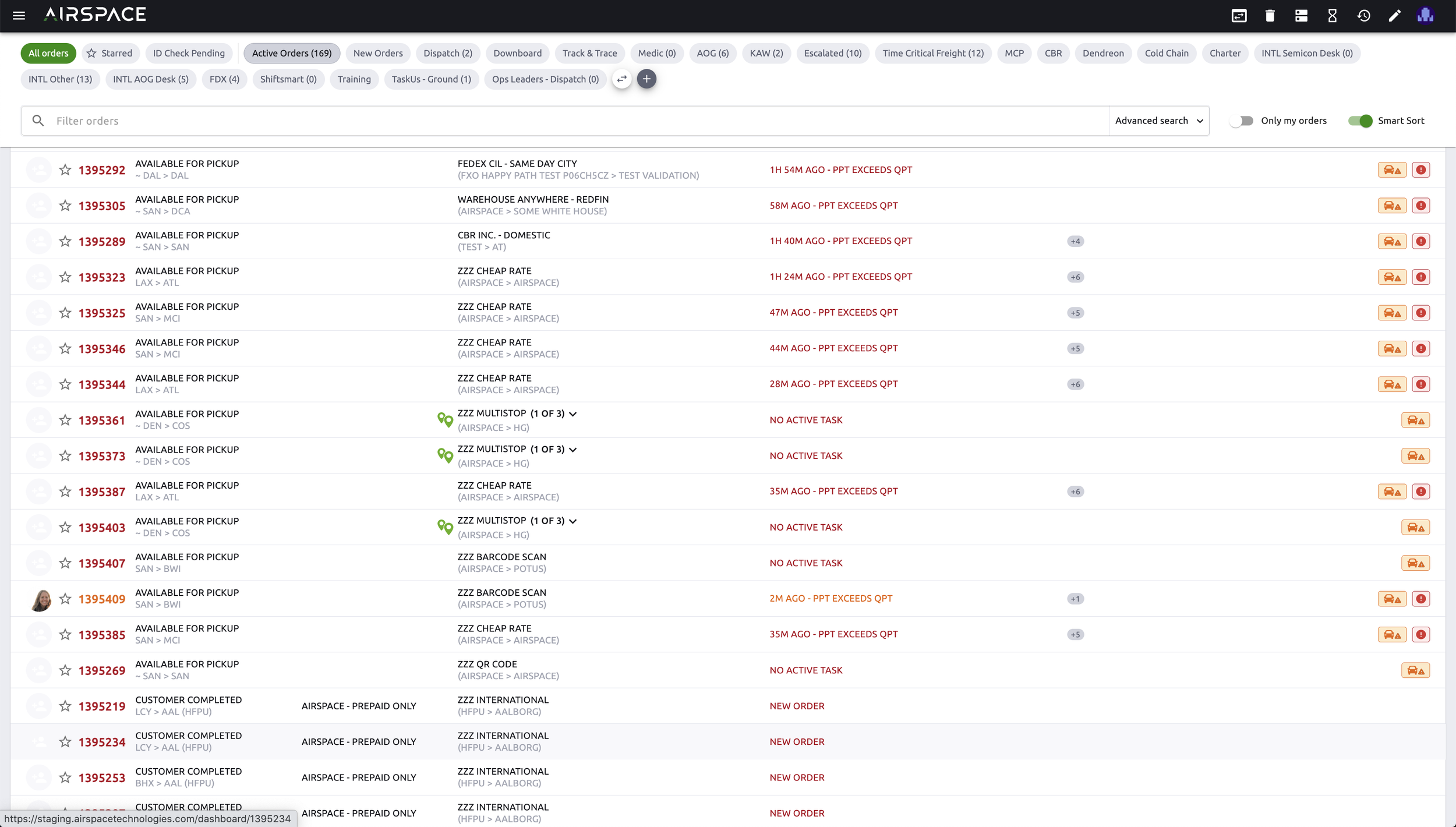
Operations Index Page
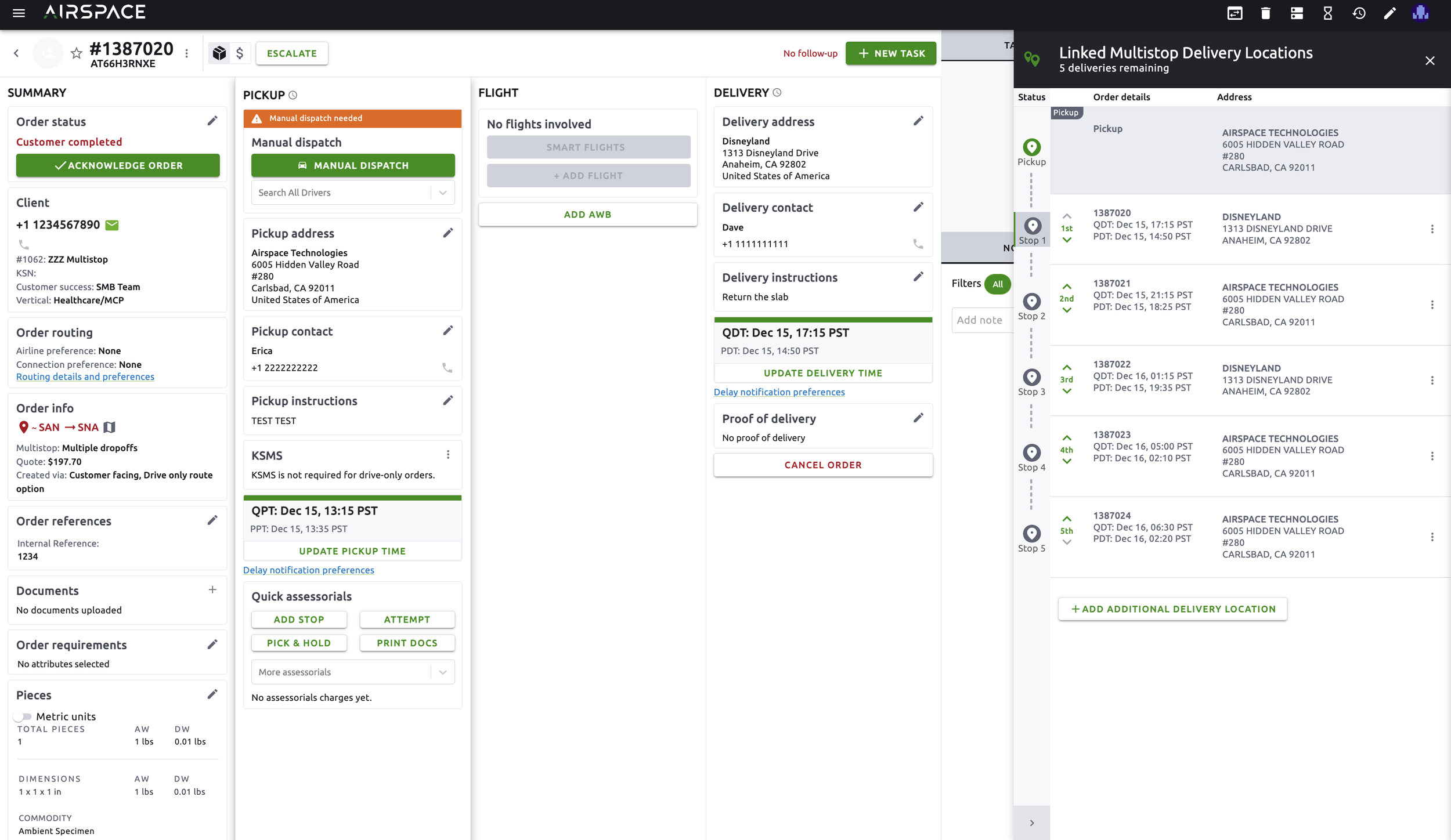
Operations specialists have access to orders that are connected to each other.
Operations Dashboard
Operations specialists have access to orders that are connected to each other.